It finds skills you did not know you had.
ArcLucid reads your CV, and the work you describe under each role, and brings out skills you never thought to list. Nothing goes on your record until you keep it.
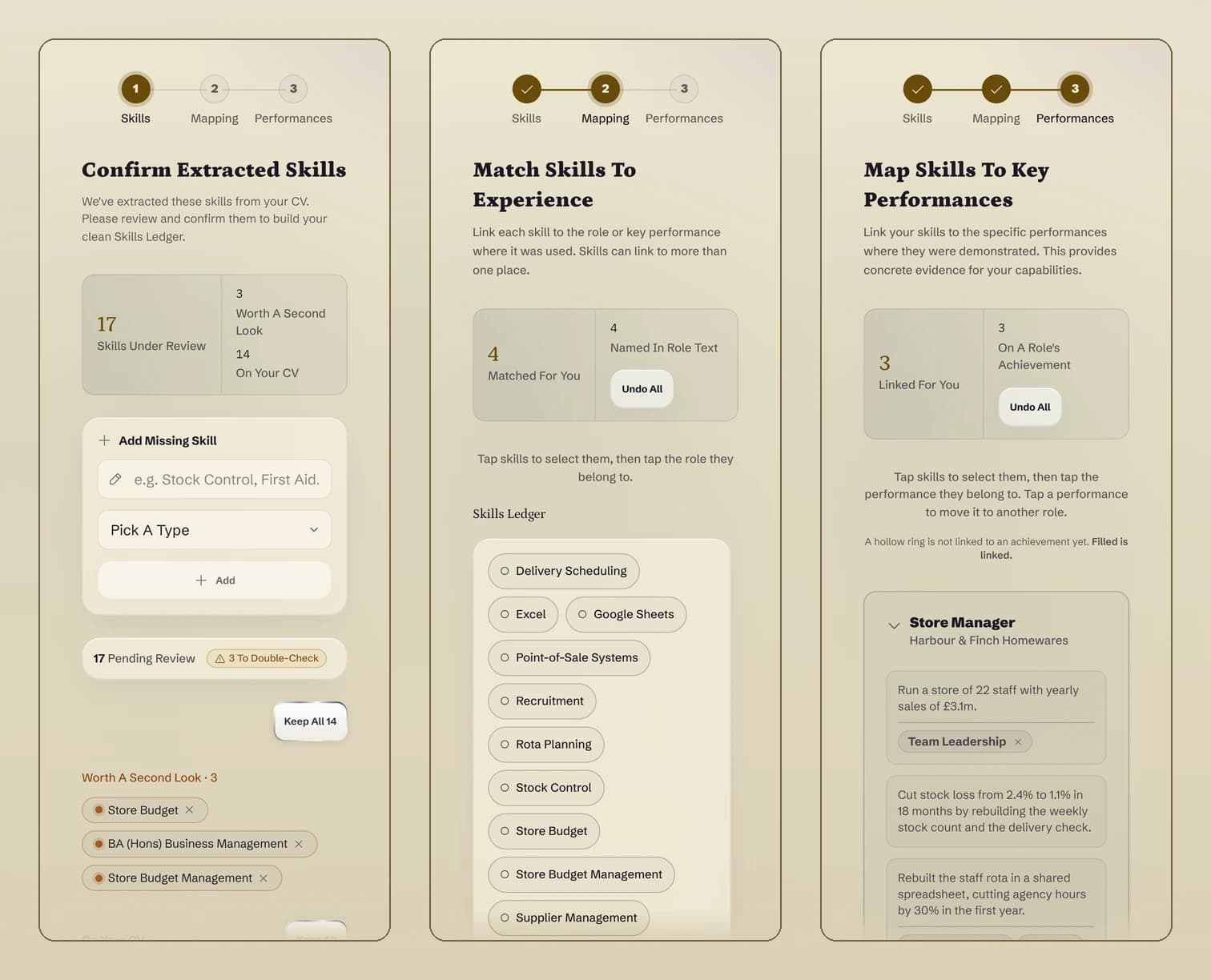
Finds what you did not list
Skills are drawn from the work itself, not only from your skills section.
- It finds skills in what you wrote and in the work you describe under each role, including ones you never listed as skills.
- It reads your CV twice for roles and skills, and puts anything only one reading found first, under “Worth a second look”, for you to check.
- Nothing goes on your record until you keep it. Every skill starts undecided.
- Each skill you keep is then tied to the role and the achievement that shows it.
You see where each skill came from
So you know how much to trust a suggestion.
- Skills are grouped by source: written on your CV, found in the work you describe under each role, or added by you.
- Roles that only one reading found are marked “Double-check Details” until you say they look right.
- Add a skill the reading missed, and it sits beside the rest.
Every skill points at the work behind it
The link between a skill and what you did is what makes it worth showing.
- Link each skill to the roles you used it in, or to work outside a job such as hobbies, projects and self-study.
- Link each skill to the specific bullet points that show it.
- Suggested links arrive marked as matched for you, and you can undo them all.
- See which skills have something you did behind them, and which have nothing yet.
Your CV stays yours
Importing never changes what you already have.
- A newer CV is added as a separate CV. It never overwrites one you already have.
- Stop part way and finish later; your answers are saved as you go.
- Tell Vera about a role the reading missed and she offers it as a card for you to approve.
What it will not do
- Put a skill on your record that you have not chosen to keep.
- Overwrite a CV you already have.
- Apply for a job or send your CV to anyone.
- Give your CV a score or a rank.
Questions
What does an import cost?
100 credits per CV, taken before it runs and given back if it fails or the file is not a CV. Skill review and linking are free. You get 300 free credits when you confirm your email, and credits never expire.
Which files can I use?
PDF or Word (.docx), up to 10MB each, with your email confirmed. You can upload several at once, and keep up to five CVs.
What if I cancel?
The import still finishes and the 100 credits stay spent.
Apply where your work counts.
Start Free, No Card